Jasper Galton-Fenzi
SnapCal
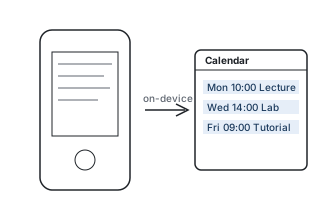
What it does
Take a photo of a printed timetable or schedule, and SnapCal reads the dates and times and adds them to your calendar. It works offline, because the text recognition runs on the device.
How it works
image_pickerto take or choose a photo.google_mlkit_text_recognitionfor on-device text recognition (OCR).- Parsing logic to turn recognised text into dates and times.
add_2_calendarto create the events, andshared_preferencesfor settings.
A bug worth remembering
The macOS build kept failing code signing. The cause was the project folder being synced by iCloud, which adds hidden file attributes that the signing step rejects. Moving the project out of iCloud fixed it.
Status
A working prototype on macOS, paused while I focus on my studies and applications. It's meant to be the first step of a bigger app that gathers calendars and notes in one place.